RESOURCES - Archiving Demos
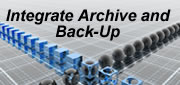
The difficulty of Digital Archiving is closely related to its data centric nature. It is unlike back-up which is essentially server centric and where one can simply make a copy of each and every file.
Digital Archiving means:
• identification of which files/folders need to be archived
• adding meta data related to the content
• assuring reliable and permanent storage
• enabling future search and retrieval
|
FILE FOLDER ARCHIVE SOFTWARE: DAX File & Folder Archive (FFA) Software provides a flexible platform for automating any digital archive requirement and environment. The FFA platform is explained in this << Introductory FFA demo>> FFA provides archiving services to the network. A simple and explanatory way to show this, is through the manual interface. Users can simply initiate archiving through FFA´s right click functionality. Back-ups can also be completed with FFA. This will also be demonstrated through the manual interface demo. As different implementations pose different requirements on the metadata, system administrators simply can change the metadata fields to adapt the archiving system to their specific needs. |
DAX BROADCAST ARCHIVE:
This demo shows the archive, purge and restore functions of clips within a network with the CatDV cataloguing tool.
INTRODUCTION TO ARCHIVING: |
Customer Challenge
DAX Broadcast Archive provides Parelli Natural Horsemanship with a fully integrated video editing and archiving to LTO solution. Read more>>>
Customer Challenge
Find out how Mercurius wins 2008 Innovation Prize and saves at least 1FTE.
Read more>>>
Customer Challenge
CHUM Hospital avoids time-consuming process of rewinding back-up tapes.
Read more>>>